

On this page
Ollama has no Android app, and the Termux route means a Linux shell on your phone. Off Grid AI runs the same open models, Gemma 4, Qwen 3.5 and more, right on your Android phone. You install it from Google Play, tap a model, and chat with no internet.
Get Off Grid AI on Google Play · All downloads
Why skip Termux
Ollama is a wrapper around llama.cpp. Off Grid AI uses llama.cpp too, built into a regular Android app. So you get the same GGUF models without:
- installing a Linux environment and packages by hand,
- starting
ollama serveevery time you want to chat, - typing prompts into a terminal.
You also get things Ollama’s terminal doesn’t have on a phone: a chat screen, a voice button, image generation, and answers about your own PDFs and photos.
What you need
- An Android phone with 6 GB of RAM or more. The app only lists models that fit.
- Wi-Fi once to download a model. A small one is under 1 GB.
Run your first model in 3 steps
- Install Off Grid AI from Google Play. No account.
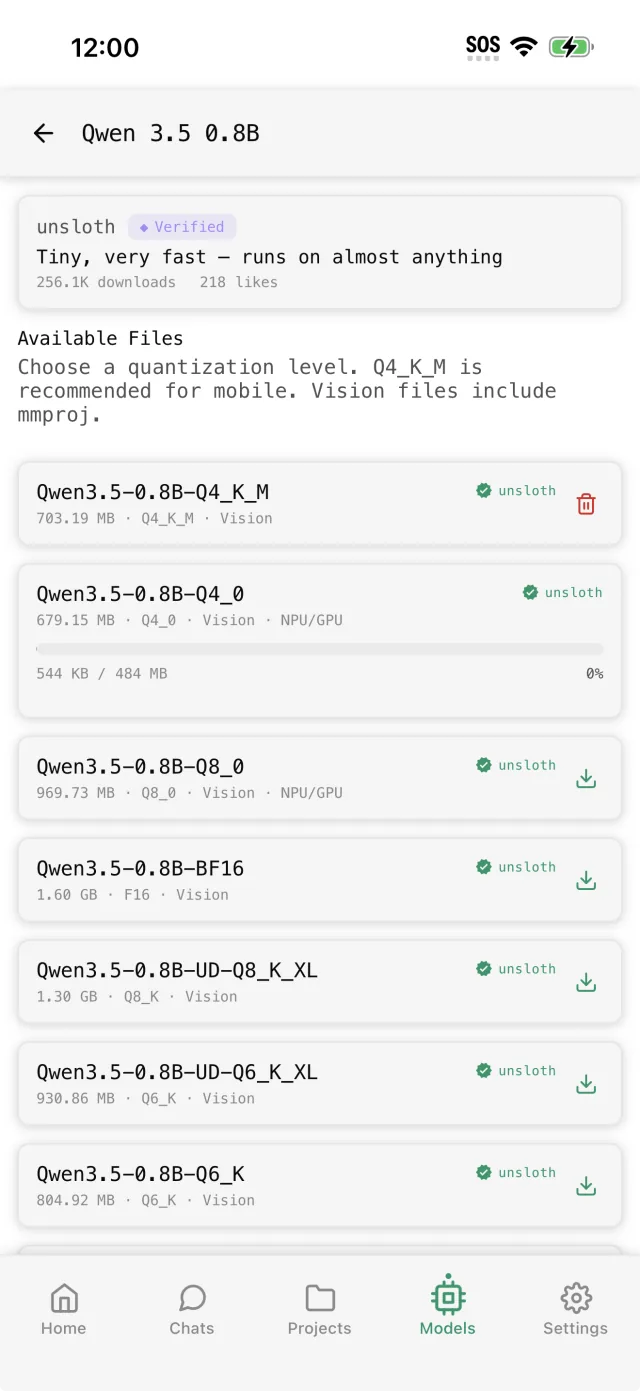
- Open Models and download one. Qwen and Gemma are the same model families you’d pull in Ollama:
| Model | Phone RAM | Good for |
|---|---|---|
| Qwen 3.5 2B | 6 GB | Quick answers and rewrites |
| Gemma 4 E2B | 6 GB | Better answers, reads photos |
| Qwen 3.5 4B | 8 GB | Longer replies and documents |
| Qwen 3.5 9B | 12 GB | The strongest answers on a phone |
- Tap New Chat and type. Turn on airplane mode to see it answer with no connection.
Want a model that isn’t listed? Search for it in Models, or tap the import button there to load a GGUF file you already have.
Already run Ollama on a computer? Use it from the phone too
Your computer can run bigger models than any phone. Off Grid AI can use them over your own Wi-Fi.
- On the computer, start Ollama so it listens on your network (set
OLLAMA_HOST=0.0.0.0beforeollama serve). - On the phone, open Settings, then Remote servers, then Scan network.
- Off Grid AI finds Ollama and lists its models next to the phone’s own.
At home you chat with the big model on your computer. Away from Wi-Fi, switch to the one on your phone. The Ollama from Android guide covers this in more detail.
FAQ
Is there an Ollama app for Android? No. Off Grid AI runs the same open models on the phone, from Google Play.
Can I install Ollama on Android with Termux? You can, but it’s a Linux shell and a server to start each time. Off Grid AI is a tap-and-chat app on the same engine.
Can I use my computer’s Ollama from my phone? Yes. Settings, Remote servers, Scan network.
Does it work offline? Yes, after the one download.
Related guides
- How to run local AI on your Android phone in 2026
- How to run Qwen 3.5 on your Android phone in 2026
- How to run Gemma 4 on your Android phone in 2026
Download Off Grid AI free on Google Play and run your first model in a few minutes.