

On this page
You can run local AI on your Samsung Galaxy with Off Grid AI. Download an open model once on Wi-Fi and your Galaxy answers questions, makes pictures and turns your voice into text on its own chip, with no internet, no account and no message limit.
Get Off Grid AI on Google Play · All downloads
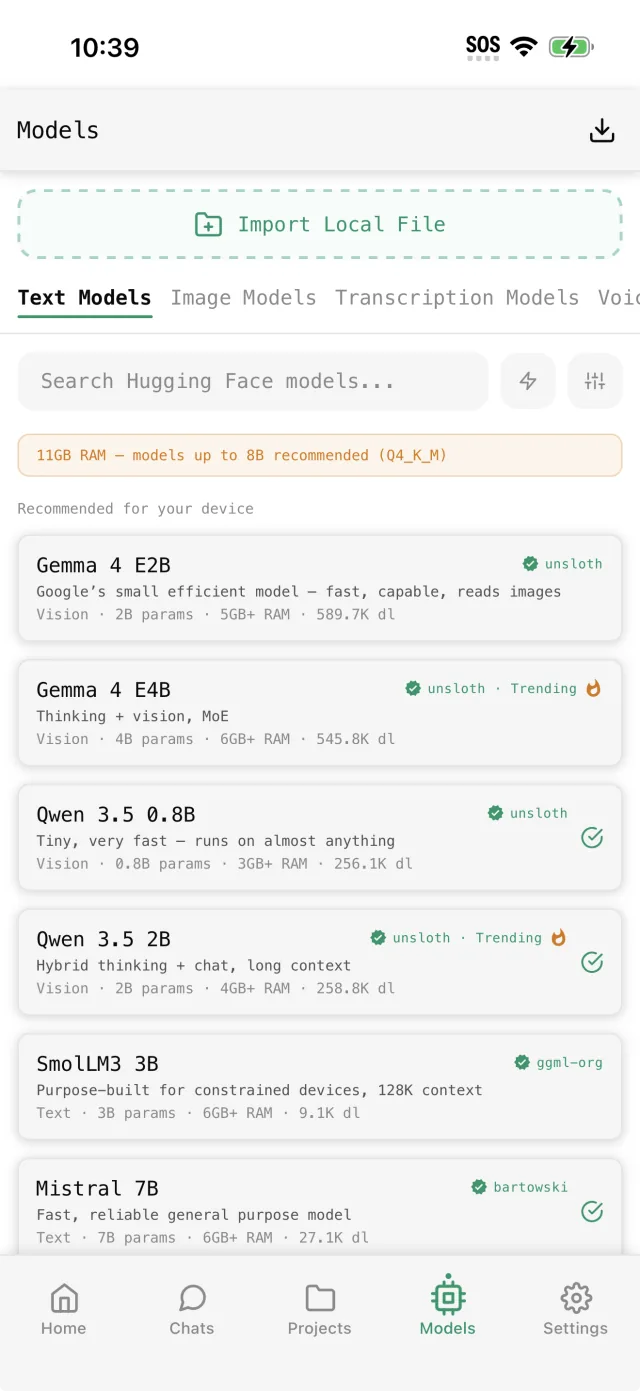
What your Galaxy can run
| Galaxy | RAM | Start with | Images |
|---|---|---|---|
| Galaxy A series | 6 to 8 GB | Qwen 3.5 2B or Gemma 4 E2B | Yes, on the CPU |
| Galaxy S23, S24, Z Flip, Z Fold | 8 to 12 GB | Gemma 4 E4B or Qwen 3.5 4B | Seconds on Snapdragon models |
| Galaxy S24 Ultra, S25 series | 12 GB | Qwen 3.5 9B | Seconds on the NPU |
Check your RAM in Settings > About phone. The app reads it too, so the Models list only shows what fits.
Set it up in 3 steps
- Install Off Grid AI from Google Play. No Samsung account, no Google sign-in.
- Open Models and download a model on Wi-Fi. Pick from the table above.
- Tap New Chat. Type, or hold the mic and talk. Turn on airplane mode to see it work with no connection.
Make pictures on your Galaxy
Open Models, then Image Models, and download Absolute Reality for photos or Anything V5 for anime. Then ask in a chat: “draw a lighthouse at dawn”.
On Galaxy phones with a Snapdragon 8 Gen 1 or newer, the app runs NPU builds of the models, and a 512x512 picture takes about 5 to 15 seconds. Galaxy phones with Exynos chips use the CPU and take longer. You don’t set anything.
Faster chat on Snapdragon Galaxy phones
On Snapdragon Galaxy phones you can try the NPU for text too. Open Settings > Model Settings > Advanced > Inference Backend and pick NPU (Beta). If a model doesn’t load on it, switch back.
Go further with a 12 GB Galaxy
The S24 Ultra and S25 series have 12 GB of RAM. That’s enough for:
- Qwen 3.5 9B, the strongest answers a phone gives.
- AI video with Pro. Type “Create a video of…” or open a photo and tap Animate this photo. See how to make AI videos on Android.
Everything stays on the Galaxy
Chats, pictures and voice notes are stored on the phone. Off Grid AI has no server for them, so there’s nothing to sync to a cloud and nothing to delete later.
FAQ
Can a Samsung Galaxy run AI without internet? Yes, after one model download on Wi-Fi.
Which Galaxy phones work? Any Galaxy with 6 GB of RAM or more.
Does it use the NPU? For images on Snapdragon 8 Gen 1 and newer, yes. Text NPU is in beta.
Is it free? Yes, with no account and no message limit.
Related guides
- How to run local AI on your Android phone in 2026
- How to make realistic AI photos on your Android phone in 2026
- How to run Gemma 4 on your Android phone in 2026
Download Off Grid AI free on Google Play and run your first model on your Galaxy today.