

On this page
gpt-oss-20b runs on a laptop with 16 GB of RAM, but only just. Its file is about 12 GB, so Off Grid AI Desktop loads it on a 16 GB Mac, Windows or Linux laptop and marks it Tight. Close heavy apps first and it answers free and offline. The 120B is a 63 GB file and needs 96 GB of RAM or more.
OpenAI says the 20B “runs within 16GB of memory” (model card). That’s true, and it leaves about 4 GB for everything else on your laptop.
Download Off Grid AI Desktop (free, Mac, Windows and Linux)
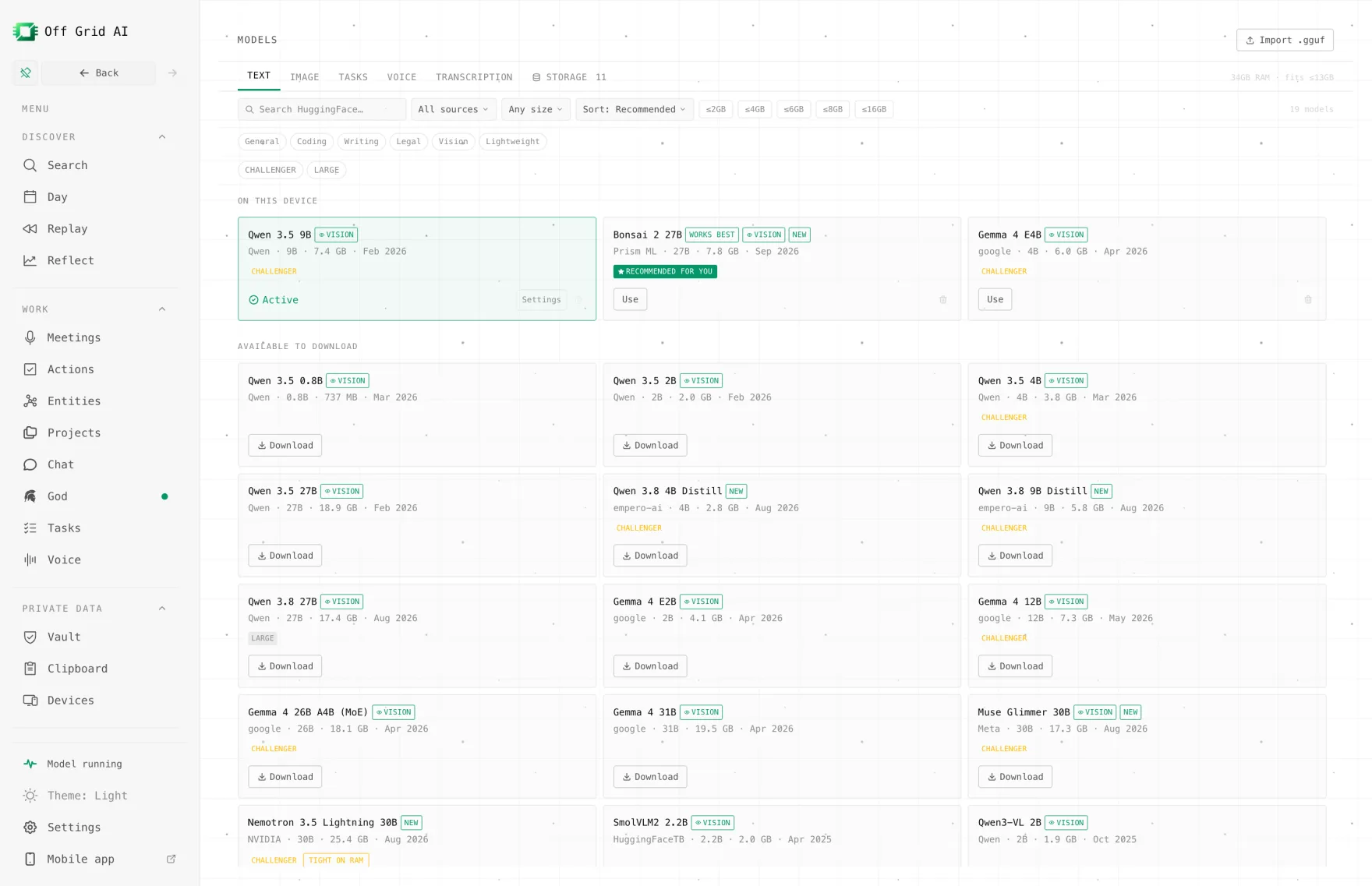
Will gpt-oss-20b fit your laptop?
gpt-oss-20b is OpenAI’s smaller open-weight model, released in August 2025 under Apache 2.0. It has 21B parameters, but it’s a mixture of experts, so only 3.6B work on each word. That’s why it feels quicker than its size suggests. It has a 131,072-token context and reads text only.
Off Grid AI Desktop judges fit by file size against your RAM. Up to 65% of RAM runs well, up to 82% is Tight, and past that it’s Too big. Here’s where the 20B lands:
| Your RAM | gpt-oss-20b (11.6 to 12.1 GB) | gpt-oss-120b (63.4 GB) |
|---|---|---|
| 8 GB | Too big | Too big |
| 16 GB | Tight: loads, close other apps | Too big |
| 24 GB | Runs well | Too big |
| 32 GB | Runs well | Too big |
| 64 GB | Runs well | Too big |
| 96 GB | Runs well | Tight |
| 128 GB | Runs well | Runs well |
File sizes are from ggml-org’s gpt-oss-20b GGUF (12.1 GB, MXFP4), Unsloth’s uploads (11.6 GB for Q4_K_M) and ggml-org’s gpt-oss-120b GGUF, checked 16 November 2026.
Don’t hunt for a much smaller file. OpenAI trained the expert weights in 4-bit MXFP4, so even Unsloth’s 2-bit Q2_K is 11.5 GB. Every gpt-oss-20b file is about 12 GB.
On a 16 GB Mac, the built-in GPU can use about three quarters of memory, roughly 12 GB. The file sits right at that edge, so the engine may run a few layers on the CPU. It still works.
How to run it with Off Grid AI Desktop
gpt-oss isn’t in the app’s own model list yet, so you get it from Hugging Face inside the app. The bundled llama.cpp engine loads gpt-oss files.
- Download Off Grid AI Desktop and install it.
- Quit the heavy apps: browsers with many tabs, Docker, video calls. On 16 GB this matters more than any setting.
- Open Models, type gpt-oss-20b into Search models…, and open the ggml-org or Unsloth upload.
- Pick a file of about 12 GB. The app shows each file’s size and marks it Tight on a 16 GB laptop.
- Start a new chat and pick the model.
- In Model settings, keep the Context window modest, such as 8,000 tokens. Each extra token of context costs memory you don’t have spare.
Try something that shows off its reasoning:
A train leaves at 9:40 and arrives at 13:05, with a 25-minute stop. How long was it actually moving? Show the steps.
gpt-oss writes out its reasoning before the answer. The app doesn’t offer a reasoning-effort switch for gpt-oss yet, so it runs at the model’s default, medium.
After the download it all runs on your laptop. Turn off Wi-Fi and it keeps answering.
When do you need the 120B?
Reach for gpt-oss-120b when the 20B’s answers fall short on hard reasoning, long coding tasks or tool use, and you’ve got the memory. It has 117B parameters with 5.1B active, and OpenAI built it to fit one 80 GB data-center GPU (model card).
| Machine | gpt-oss-120b |
|---|---|
| 16 to 64 GB laptop | Won’t load |
| 96 GB Mac or PC | Tight. Loads with little else running |
| 128 GB Mac or PC | Runs well |
| One 80 GB GPU | OpenAI’s target |
So on a 16 GB laptop, the 120B is off the table. Your options are a model that fits better, or a served one.
Better fits for 16 GB
If 12 GB is too much for your laptop, these run well in Off Grid AI Desktop and read images too:
| Model | Size | On 16 GB |
|---|---|---|
| Bonsai 2 27B (Qwen 3.8 27B, packed) | 7.2 GB | Runs well |
| Qwen 3.5 9B | 5.7 GB | Runs well |
| Bonsai 2 9B (Qwen 3.5 9B, packed) | 2.4 GB | Runs well, lots of room |
All three are in the app’s list under Models > Text.
What goes wrong, and the fix
| Symptom | Check | Fix |
|---|---|---|
| Laptop freezes or swaps when it loads | Other apps open | Quit browsers and heavy apps, then load again |
| Fine at first, slow in long chats | Context window in Model settings | Lower it, or start a new chat per topic |
| Out of memory on load | Your RAM | 16 GB is the floor. Use Bonsai 2 27B instead |
| You only see 2-bit files around 11.5 GB | That’s normal for gpt-oss | Take any file near 12 GB |
| Image attached, no useful answer | gpt-oss is text only | Use Bonsai 2 27B or Qwen 3.5 9B for images |
Need a bigger model than your laptop holds?
If you want a big open model without a 128 GB machine, Off Grid AI Boost is a flat-price API for open models on our GPUs. It names Qwen 3.8 and DeepSeek V4.1 Flash, and hasn’t listed gpt-oss, so don’t count on the 120B there.
Boost starts at $4.99 a month for the first cohort, with regular prices from $9.99 to $199.99. We don’t store your prompts or train on them. That’s our promise today, and the full policy comes with launch. Usage limits aren’t published yet.
Boost starts in January; pre-order to lock in half price. API keys arrive by January 2027.
FAQ
Can gpt-oss-20b run on 16 GB of RAM? Yes, tightly. The file is 11.6 to 12.1 GB, and OpenAI says the model runs within 16 GB of memory. Off Grid AI Desktop marks it Tight on a 16 GB laptop, so close heavy apps and keep chats short. On 24 GB it runs well.
Is there a smaller gpt-oss-20b file? Not really. Its expert weights already ship in 4-bit MXFP4, so even the 2-bit Q2_K file is 11.5 GB. If 12 GB is too much, pick a different model.
How much memory does gpt-oss-120b need? The file is 63.4 GB. OpenAI built it to fit one 80 GB GPU. On a computer, Off Grid AI Desktop’s fit rule puts it at Tight on 96 GB of RAM and Runs well from 128 GB. A 64 GB machine can’t load it.
Do I need a GPU for gpt-oss-20b? No. Only 3.6B of its 21B parameters work on each word, so a CPU copes with it far better than with a dense model of the same size. A Mac uses its built-in GPU, and a PC can use an NVIDIA, AMD or Intel GPU if it has one.
Does gpt-oss-20b read images? No, it’s text only. For images on a 16 GB laptop, use Bonsai 2 27B or Qwen 3.5 9B in Off Grid AI Desktop.
Related guides
- How to Run gpt-oss on Windows in 2026
- What Can You Do With Local AI on a 16 GB Laptop in 2026?
- How to Run Qwen 3.8 Privately on a 16GB Laptop in 2026
- How to Run Qwen 3.6 on a 16GB Laptop in 2026
Quit your browser, download Off Grid AI Desktop, and load gpt-oss-20b on the 16 GB laptop you already have.