

On this page
You can keep linked Markdown notes on your Mac with backlinks, tags and a graph, and keep every one of them on your disk. Notes, in Off Grid AI Desktop (OGAD) Pro, writes plain Markdown files you own, and opens your Obsidian vault as it is. Link notes with [[wikilinks]], see what links back, and get every earlier version back from History.
Your notes stay files in a folder you can open in Finder. Nothing is uploaded, and the AI that checks your writing in them runs on your Mac.
Get Pro for $34.99 once · Download Off Grid AI for Mac
What you need
- An Apple silicon Mac with OGAD 0.0.57 or later. Get it from the download page.
- Off Grid AI Pro, built into the app. Enter your licence key and click Activate. Pro is $34.99 once, a limited-time price down from $119, or $7.99 a month, for up to 5 devices.
Step 1: Open your vault or start a library
Click Notes in the sidebar. The first time, Notes looks for the vaults Obsidian already knows about on your Mac and asks, for example, “Open ‘Work notes’?”
- Click Open to use that vault as it is. Your folders and files appear under Files.
- Click New library to start fresh. Notes makes a folder called Off Grid Notes in your Documents, visible in Finder like any vault.
Notes reads your files where they are. It doesn’t move them, convert them or rewrite the .obsidian folder that holds Obsidian’s own settings. Keep Obsidian open on the same vault if you like. When it changes a note, Notes picks up the change from disk.
To add more, click Add a folder or file (Shift+Command+O) or drag folders and files into the sidebar.
Step 2: Write
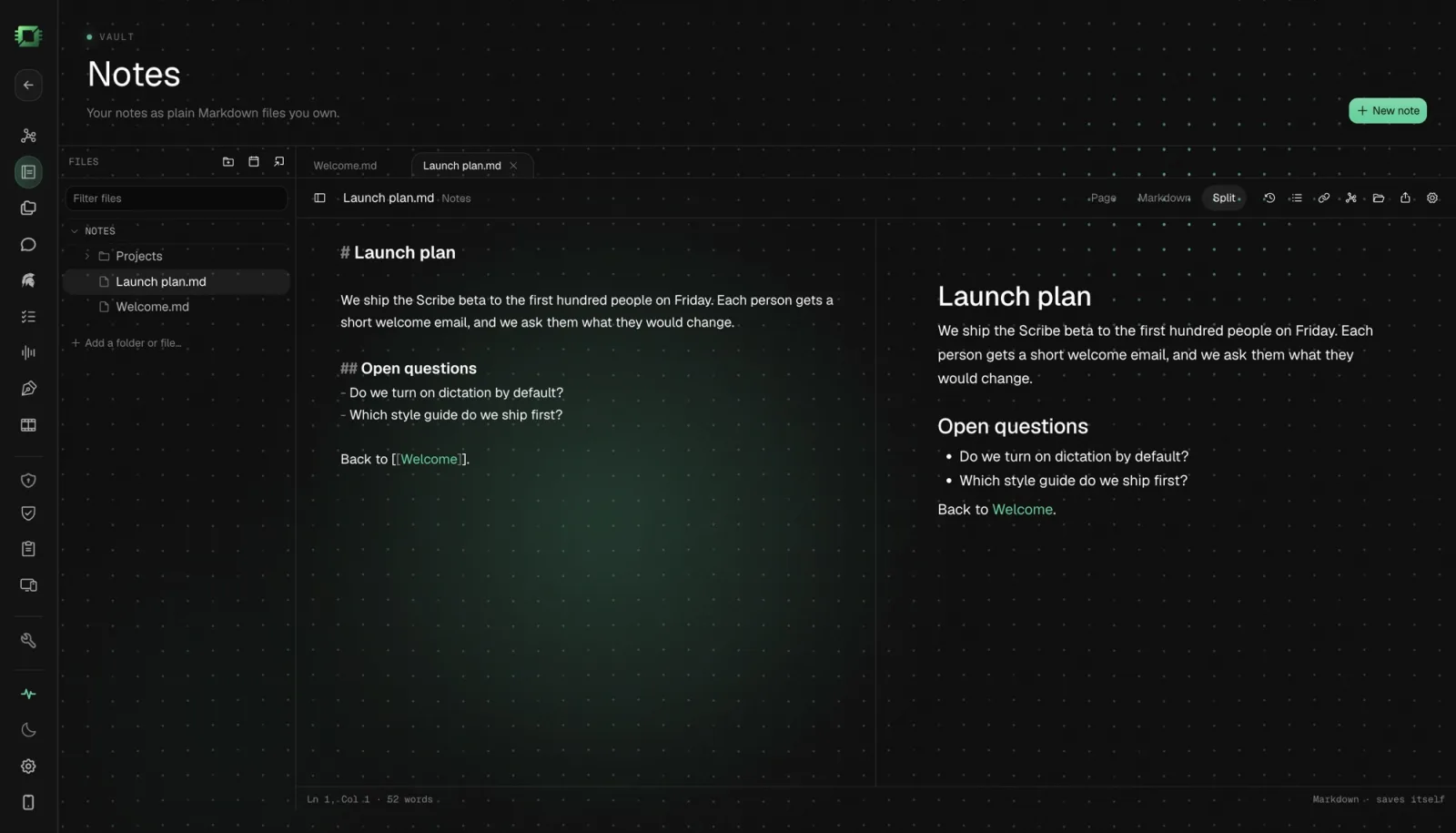
Press Command+N or click New note. Each note opens in a tab, in one of three views:
- Page: the note as a clean page, headings and lists rendered.
- Markdown: the raw text.
- Split: both side by side.
The footer reads “Markdown · saves itself”, because it does. A dot on a tab means a change not yet written to disk.
Press Option+Command+D for Today’s note, a note for the day. Use it as a daily log.
Scribe works in Notes too, so spelling and grammar get underlined as you type, checked on your Mac. Pause in a paragraph or press Option+Enter for a clearer version. Hold Option+Space to dictate, and your words land as Markdown, lists and headings included.
Step 3: Link your notes
Type [[ and Notes suggests your other notes. Pick one to link it. Type [[Note# to link straight to one of its headings. Add #tags anywhere.
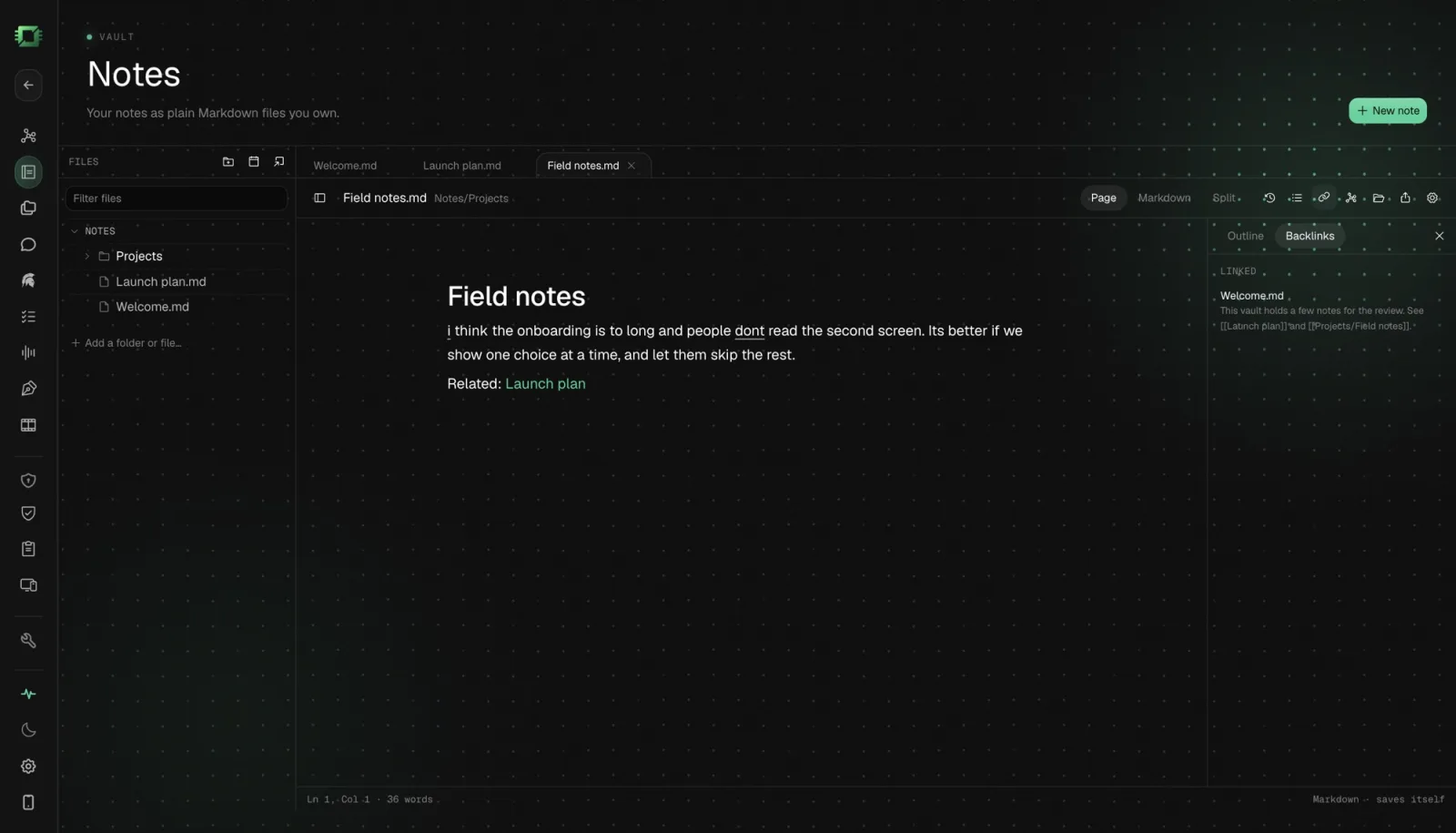
On the right of each note:
- Backlinks lists the notes that link here, and the mentions of its name that aren’t links yet.
- Outline lists its headings, so you can jump in a long note.
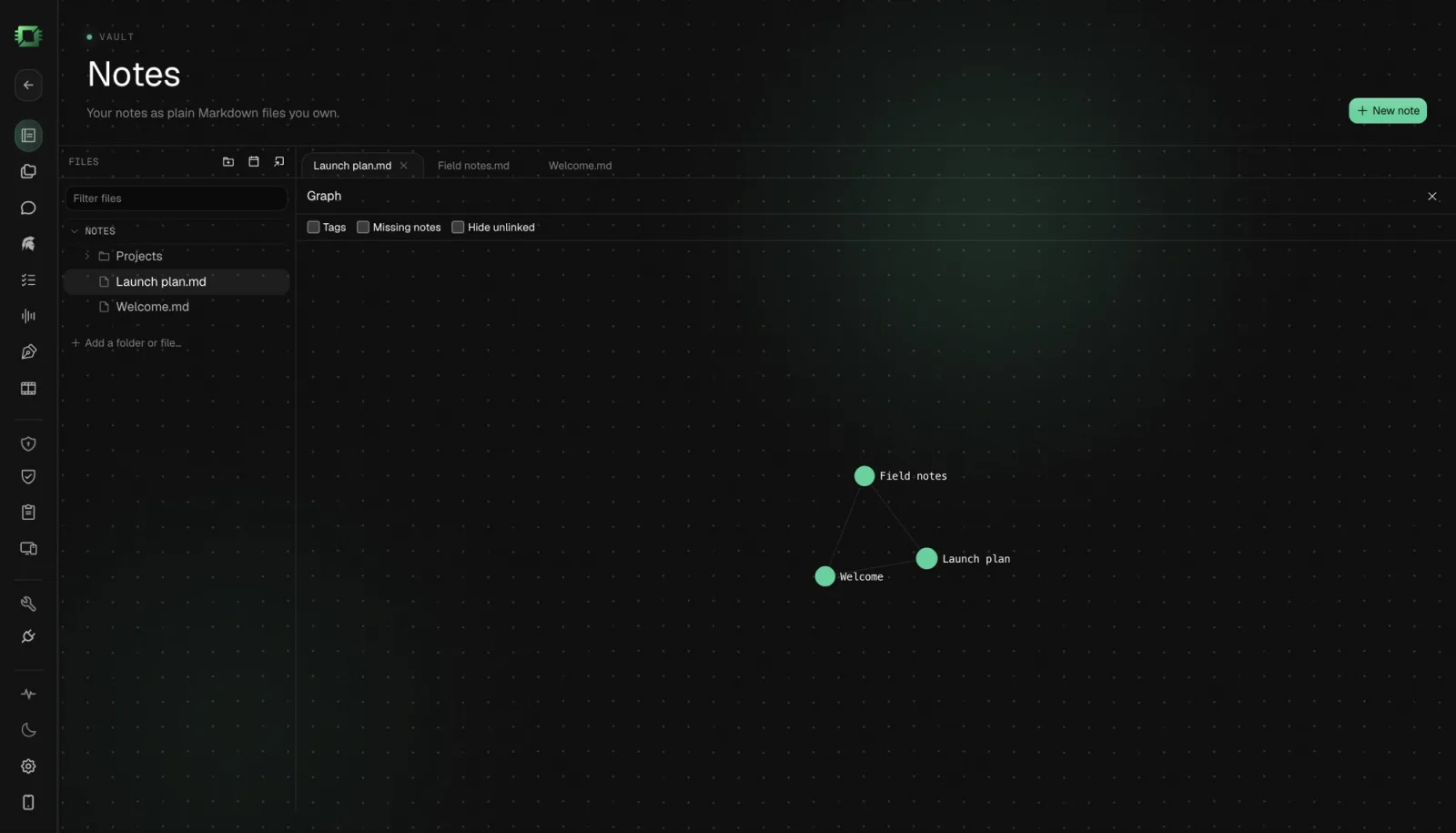
- Graph draws your notes as dots and their links as lines. It opens fitted to your notes with their names on, so you can see clusters at a glance.
Step 4: Find anything fast
- Command+O finds a file by name.
- Shift+Command+P lists every command.
- Filter files at the top of Files narrows the sidebar as you type.
Chat in Off Grid AI can find what you wrote too. Ask it about a project and it can answer from your notes, with a model running on your Mac.
Step 5: Get any version back
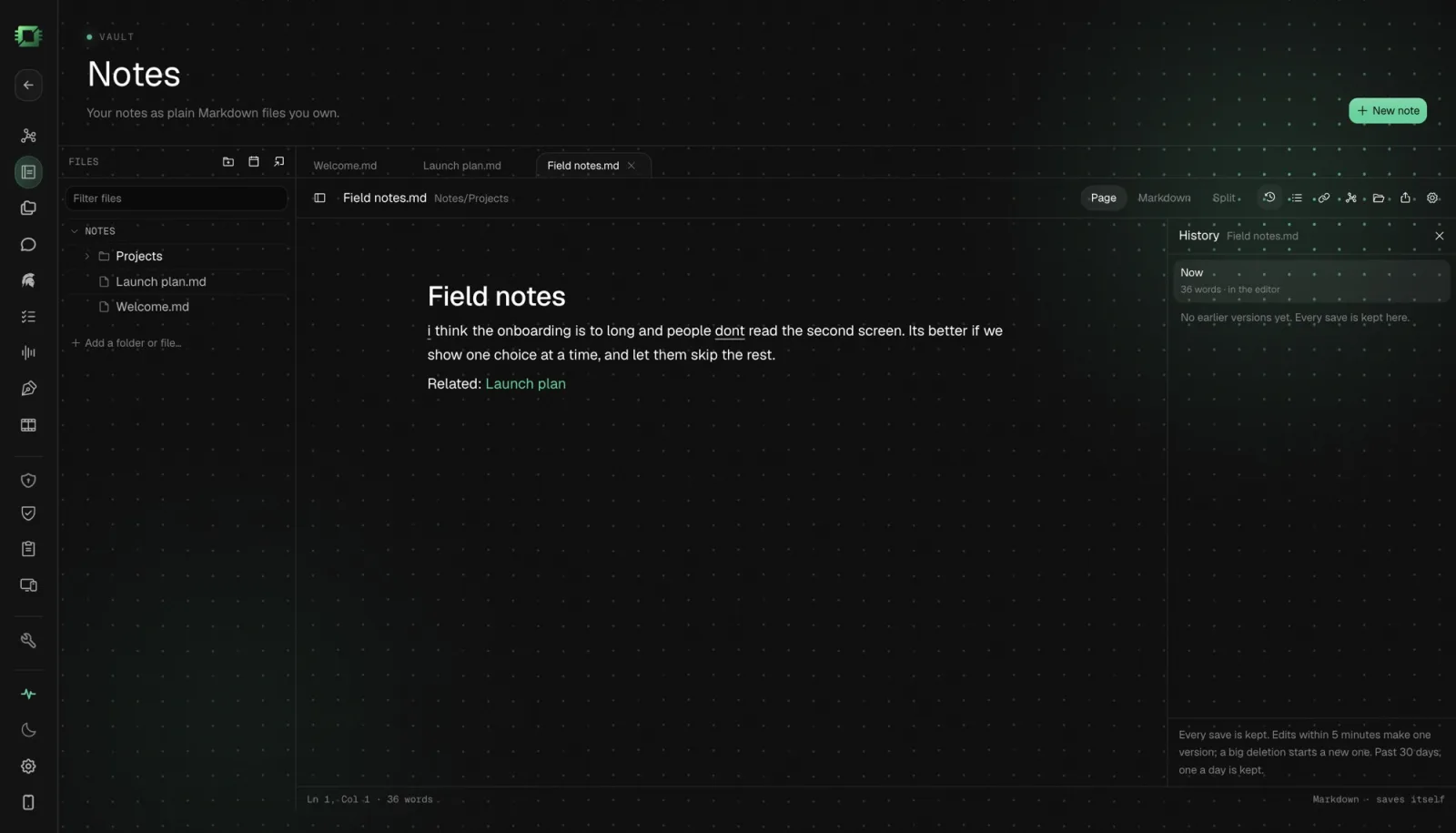
Notes keeps earlier versions of every file it writes. Click History in the note’s toolbar to see them by day.
Pick a version and choose Changes since to see what changed, or Full text to read it whole. Click Restore to bring it back. One Command+Z undoes the restore. Or click Copy and take just the paragraph you need.
Saves within five minutes fold into one version. A big deletion, a restore and a change made in another app each get their own. Past 30 days Notes keeps the last version of each day, and it always keeps the newest 20.
History lives in OGAD’s own data, not in your vault, so Obsidian never sees it.
Share a note
Click Export a copy to save a copy of the note somewhere else, or Show in folder to find the file in Finder.
FAQ
Is there a private notes app for Mac that opens my Obsidian vault?
Yes. Notes in Off Grid AI Desktop Pro finds the vaults Obsidian knows about the first time you open it and offers to open one. It reads your Markdown files where they are and leaves the vault’s .obsidian settings alone.
Can I keep using Obsidian on the same vault? Yes. Both apps edit the same Markdown files. When Obsidian changes a note, Notes picks up the change from disk.
Where are my notes stored? As plain Markdown files on your Mac. A new library lives in Documents, in a folder called Off Grid Notes, so you can see it in Finder.
Does it keep old versions? Yes. Click History in a note to see earlier versions by day, compare them and restore one. Edits made in other apps get their own versions too.
What do I need? An Apple silicon Mac, Off Grid AI Desktop 0.0.57 or later, and an Off Grid AI Pro licence.
Related guides
- How to Get Back Deleted Text in Your Markdown Notes on Your Mac in 2026 (Automatic Version History)
- How to Chat With Your Obsidian Notes in 2026 Without Uploading Them
- Best Obsidian Alternatives in 2026 (Private Markdown Notes With Local AI)
Get Off Grid AI Pro, click Notes, and open the vault you already have.